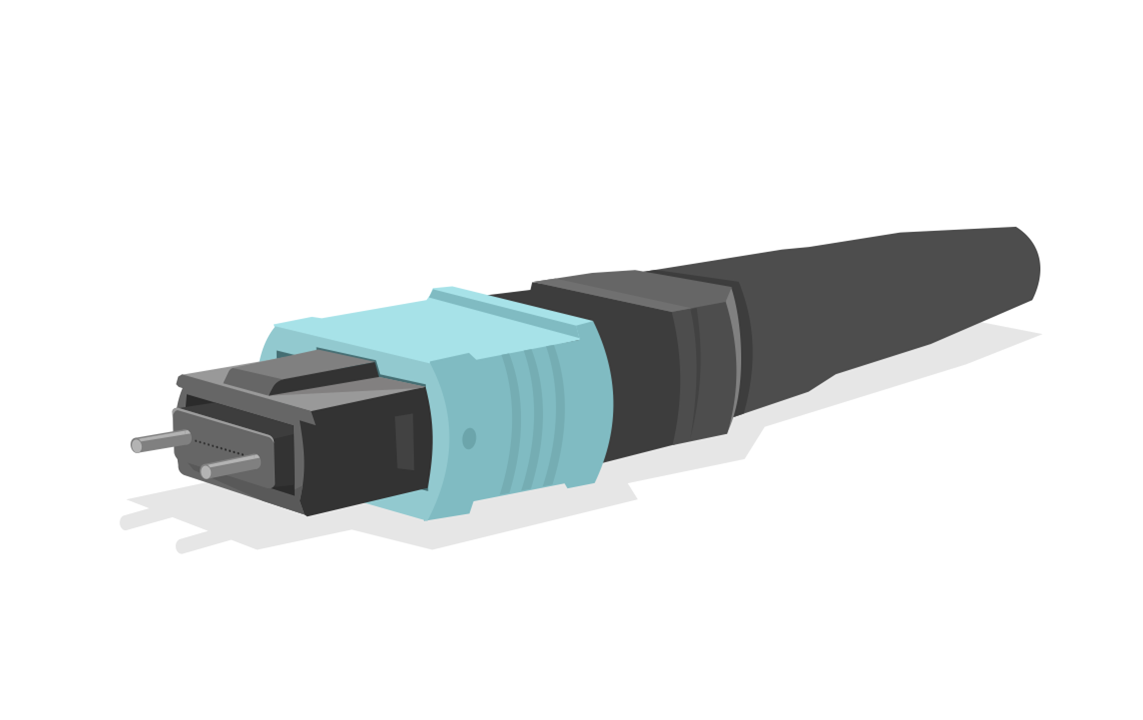
MTP12 Cheat Sheet for QSFP 40G

 MTP12 Cheat Sheet for QSFP 40G SR4 Optical Cabling (and 100GBASE SR4)


In this guide, we'll break down the optical connections used in 40G optical QSFP for short-range applications (40GBASE-SR4) on multimode fiber cables. 
 
We'll be discussing the MPO12 (or MTP12) connector, which is essential for connecting to the SR4 QSFP transceiver. 
 
Normally, the MPO12 connector has 12 fibers, but for 40G, we only need 8 (which are organized into 4 pairs) to facilitate the two-way data transmission on four parallel paths.
 
You might already know that QSFPs can be configured to operate as four separate 10G connections.


MTP12 Cables for Connecting QSFPs

 
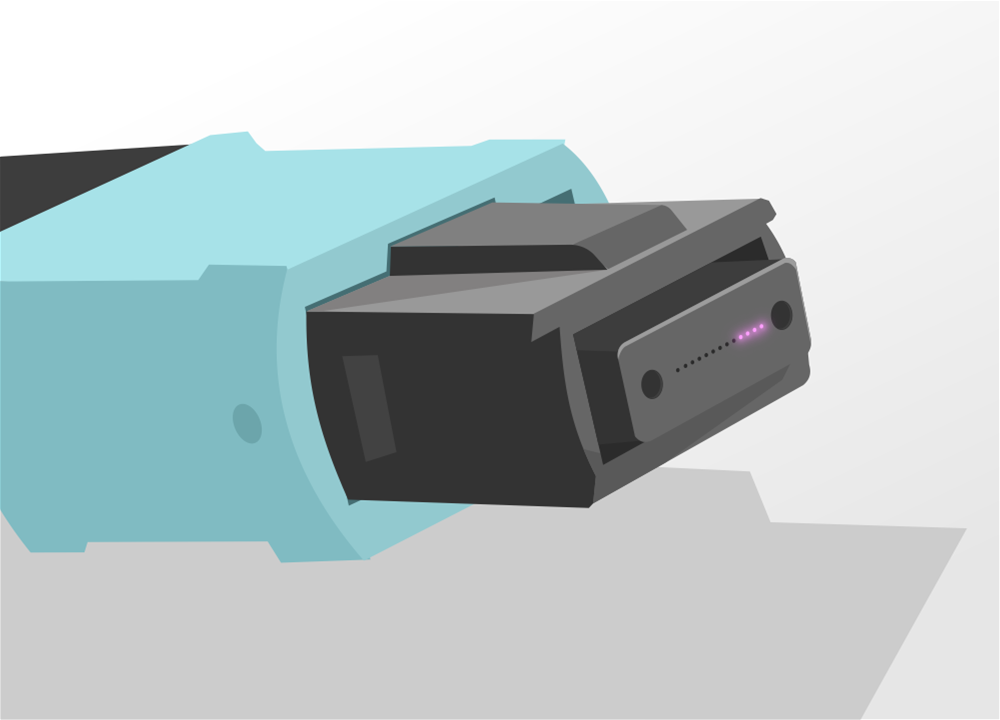
When dealing with QSFP 40G SR4 transceivers, take note that the connector isn't an LC type; instead, it's an MPO/MTP12 receptacle. 
 
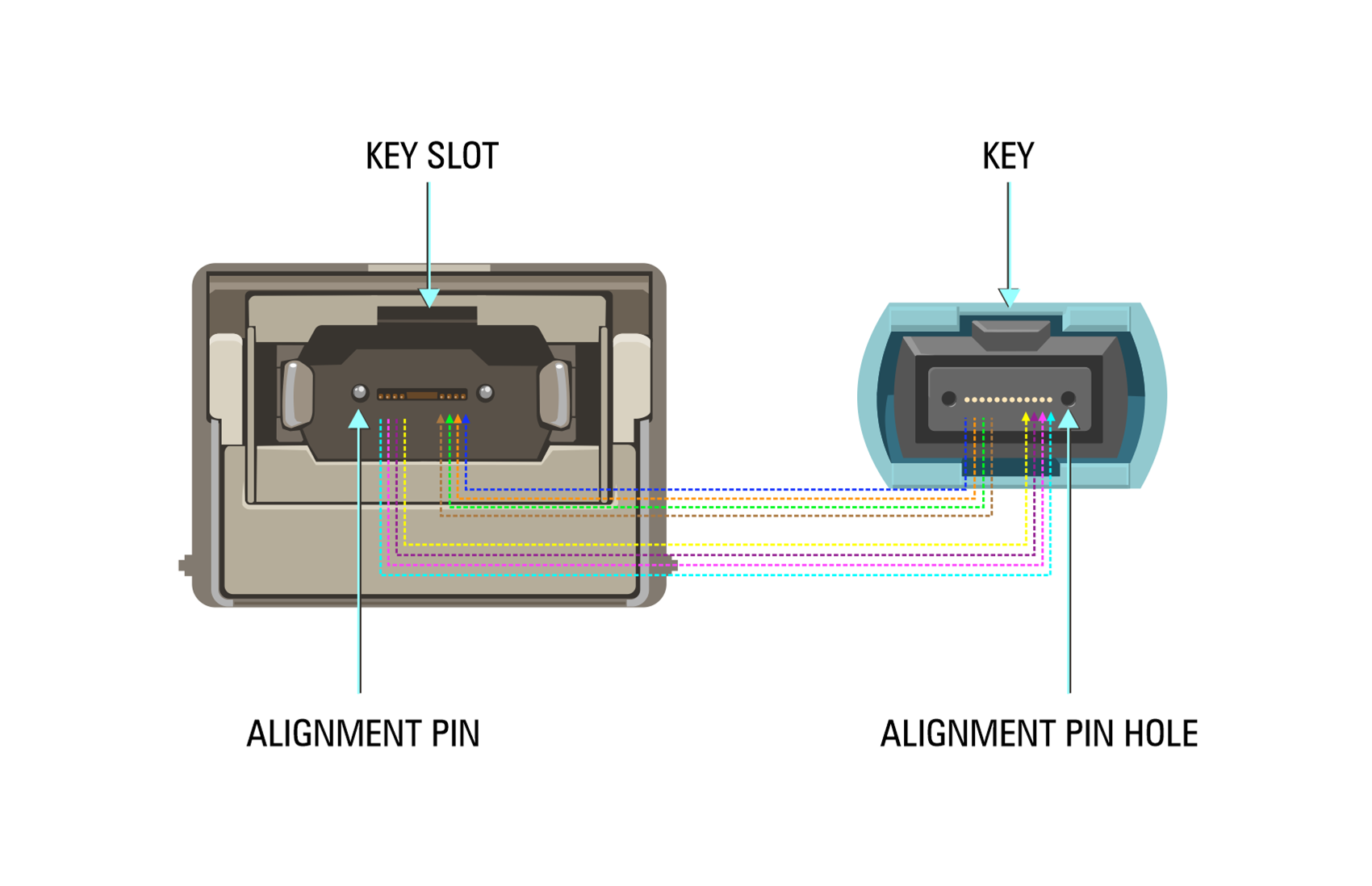
Additionally, you'll notice four small orange dots positioned in the center, between the two alignment pins. These dots serve as the entry and exit points for data (Rx/Tx) within the transceiver. 
 
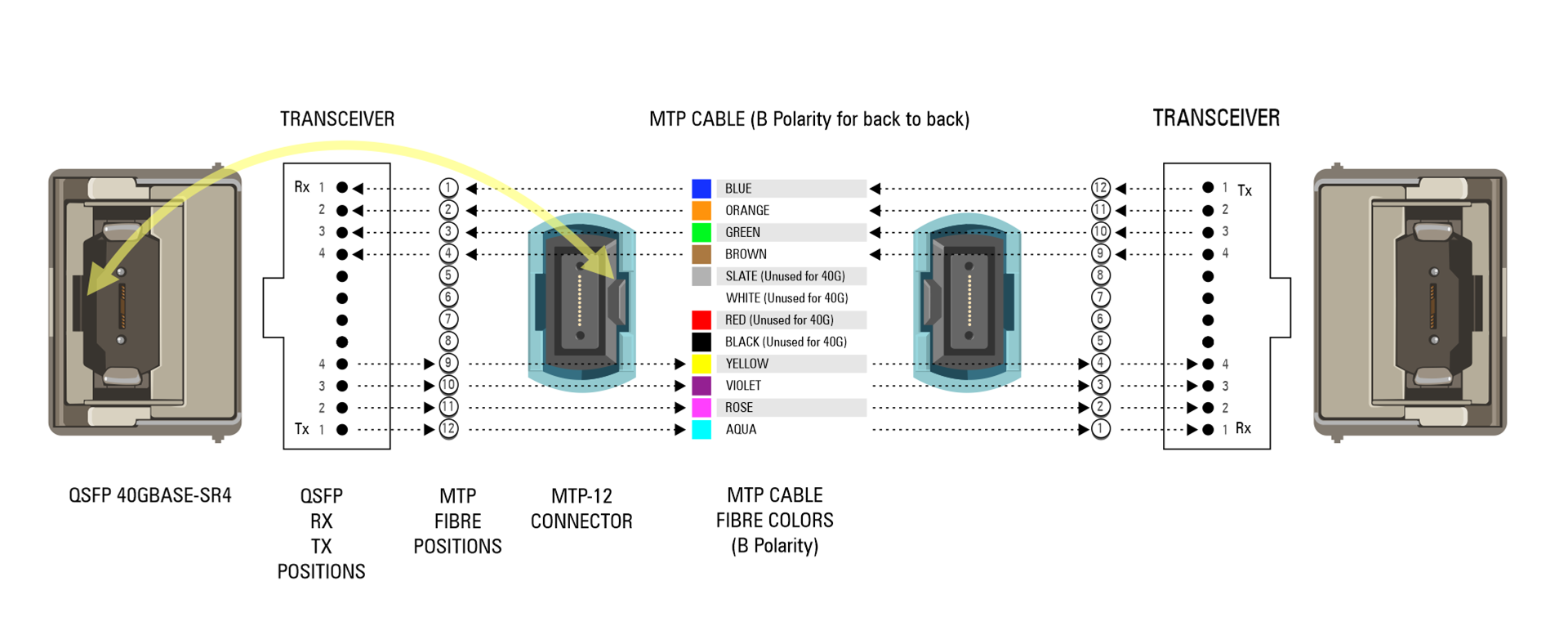
MTP12 cables diagram
 
The space between these four dots remains unused, as it corresponds to unused fiber paths. The four Tx (transmit) and four Rx (receive) channels align with the outer fibers of an MTP cable.
 
When you face an SR4 QSFP or an MTP cable with their key side up, you'll consistently find that they receive on the left side (or your right when facing them) and send data on the right side (or your left when facing them). 
 
You can think of it as a sort of "punch and receive" arrangement.
 
 
mtp key slot and alignment pin
 
MTP12 cables are numbered from 1 to 12, but for 40G SR4, only eight of these positions are used:
 
4 Rx positions (cable positions 1 to 4)
 
4 Tx positions (cable positions 9 to 12) Positions 5 to 8 are not utilized by the QSFP transceiver. 
 
It's worth noting that these unused positions don't need to carry any data signals, which can lead to cost savings in structured cabling. However, this deviates from the standard MTP12 cabling practice.
 
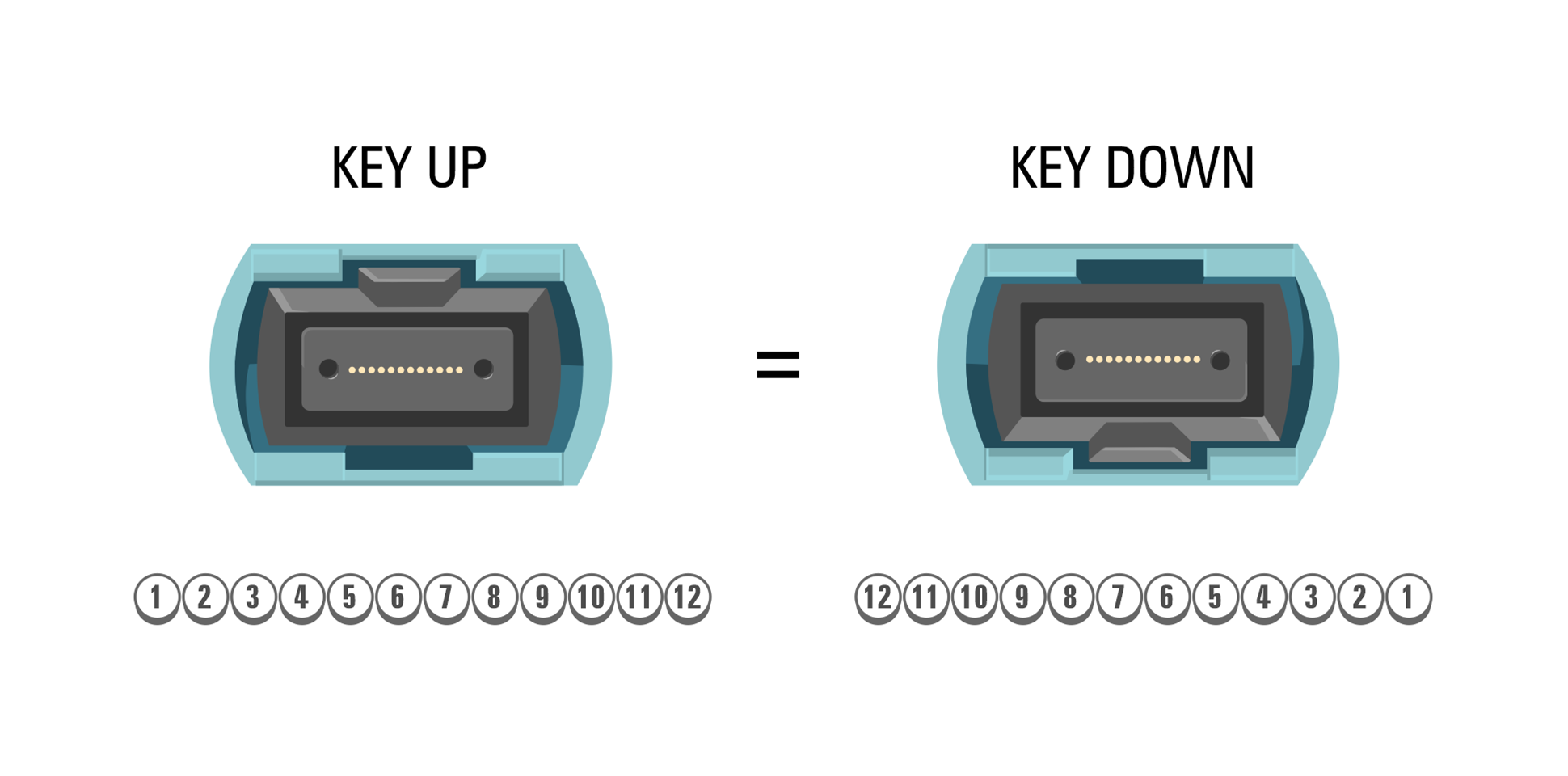
Regardless of the color of the fibers, the MTP12 positions are always arranged as follows:
 
Key side up
From left to right
Numbered from 1 to 12 
 
This numbering scheme remains constant, irrespective of the fiber's color (e.g., position 1 might correspond to a blue or aqua-colored fiber).
 

Key Considerations

 
When selecting MTP cabling for 40G SR4 QSFPs, keep these points in mind:
 
QSFP Tx/Rx channels will always align with specific MTP positions, regardless of the cabling behind them.
Rx1 corresponds to position 1, Tx1 corresponds to position 12
Rx2 corresponds to position 2, Tx2 corresponds to position 11
Rx3 corresponds to position 3, Tx3 corresponds to position 10
Rx4 corresponds to position 4, Tx4 corresponds to position 9
The MTP cable head should be female (with no alignment pins; it should have holes).
Alignment pins are located inside the QSFP.
 
mtp key up and key down diagram
 

Common Mistakes

 
Here are some common errors to avoid:
 

Polarity Mistake:

 
Using the wrong polarity (e.g., A instead of B) can cause light to exit the MTP cable in the wrong positions. This can result in light coming out of positions 9-12 instead of 1-4.
 
 
Typically, this mistake occurs when using an MTP cable with polarity A instead of the required polarity B for direct QSFP-to-QSFP connections.
 
mtp polarity
 
When connecting devices via a patch panel, always confirm the required cable polarity with your patch panel vendor.
 

Incorrect Connector Gender: 


The MTP cable should have a flat head with no protruding pins. 
 
Alignment pins are located inside the QSFP, while the MTP connector features alignment holes. 
 
mtp incorrect gender
 
Make sure you use the correct gender, which should be female.


Physical Appearance of 100GBASE-SR4 Transceiver

 
In addition to the SR4 transceiver's appearance mentioned above, the 100GBASE-SR4 version looks slightly different:
 
Instead of 12 tiny fiber links arranged in a row, it has four slightly larger holes (two on the left and two on the right).


Pairing Information


Pairing is particularly important in 10G mode. Pairs (Rx and TX) always share the same numbering:
 
Pair 1 is Rx1 + Tx1 (positions 1 and 12)
Pair 2 is Rx2 + Tx2 (positions 2 and 11)
Pair 3 is Rx3 + Tx3 (positions 3 and 10)
Pair 4 is Rx4 + Tx4 (positions 4 and 9)
 
For direct connections (back-to-back) using QSFP to QSFP MTP12 cabling without a patch panel or adapter, you should use:
 
Polarity B
Detailed cable specifications: EIA/TIA-604-05 (FOCIS-5) MTP-12 to MTP-12 cable
Female/female connectors
Polarity B (positions 1 to 12, key side up)