










Running Ethernet cables through tight spaces can seem daunting, but with the right techniques and tools, it’s manageable even for those with limited experience.
This guide will help you navigate common challenges and provide tips for a clean, professional installation.
How to Run Ethernet Cable Through Walls
Installing Ethernet cables through walls is a great way to keep your setup organized and out of sight. Here are the steps to consider:
Plan Your Route
When planning your Ethernet installation, it’s generally best to stick to interior walls whenever possible. Exterior walls often contain insulation, which can complicate the process and make cable routing more challenging. Begin by mapping out the path your cables will take, identifying where they will start and terminate. Consider the locations where you’ll need to install keystone jacks or wall plates for a clean and functional setup. Proper planning at this stage will help minimize issues during installation.
Tools and Products Needed
Featured Products
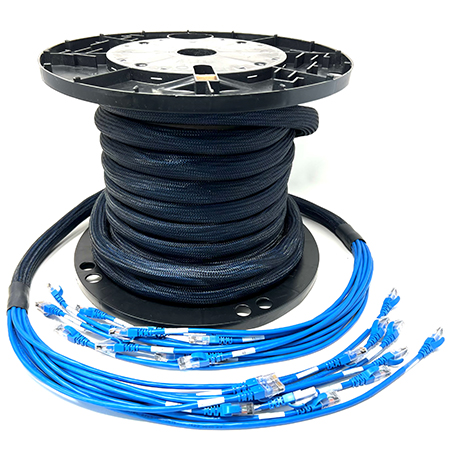
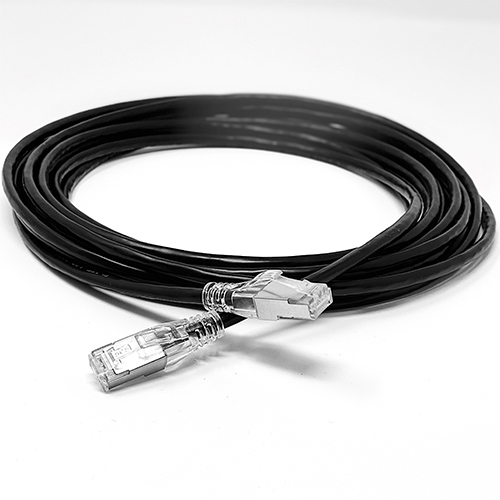
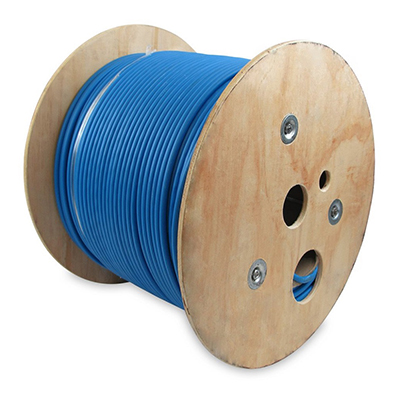
To ensure a smooth installation process, gather all necessary tools and materials in advance. Fish tape or wire pullers are invaluable for guiding cables through walls, especially in tight or obstructed spaces. A drywall saw will allow you to cut precise openings for wall plates, while solid-conductor Ethernet cables are recommended for in-wall installations due to their superior stability and signal quality. You’ll also need keystone jacks, wall plates, and mounting brackets to complete the setup. Labeling tools are another essential item, as they’ll help you identify cable runs quickly during installation and for future maintenance.
Cut and Drill Carefully
Before drilling into walls, use a stud finder to locate and avoid electrical wiring, plumbing, or wall studs. Once you’ve identified a clear area, drill access holes in the top or bottom plate of the wall frame. The location of these holes will depend on whether you’re running cables from a crawlspace or attic. Take your time during this step to ensure accuracy and minimize unnecessary damage to walls.
Run the Cable
Running cables through walls can be streamlined by using fish tape to guide them into place. Be sure to leave a service loop of about one foot at termination points. This extra length provides flexibility for future adjustments, such as reterminating a cable or relocating equipment. Taking this precaution can save time and effort down the road.
Best Way to Run an Ethernet Cable Along a Wall and Conceal It
If running cables through walls isn’t an option, you can still create a clean look for your installation. Simply cover the cables with things like cord covers or cable colors that match your walls. That’s one reason we sell so many different ethernet cable colors.
Use Cord Covers
Cord covers are an excellent solution for blending Ethernet cables with the walls and maintaining a clean appearance. Adhesive-backed cord covers, which are widely available online, allow you to neatly secure cables along walls while keeping them discreet. They come in various colors and sizes, making it easy to match them to your home’s decor for a seamless look.
Choose White Ethernet Cables
If cord covers aren't an option, consider using white Ethernet cables for a less obtrusive setup. These cables can be tacked along baseboards or ceilings using sticky anchors or nail-in clips, which help keep the installation tidy while minimizing visibility. White cables blend naturally with most light-colored walls, providing a subtle and professional finish.
Opt for Flat Ethernet Cables
For spaces where traditional round cables may create noticeable bulges, flat Ethernet cables are an excellent alternative. Their slim profile makes them easy to conceal under carpets or in tight spaces, ensuring the cables remain out of sight while maintaining functionality. This option is particularly useful for installations in conference rooms, living spaces, or areas where aesthetics are a priority.
Running Ethernet Through Walls and Crawl Spaces
When dealing with crawlspaces, preparation is key. You will want to know what you’re getting yourself into before hand.
Know things ahead of time like which electric wires you may come across or what local codes you may need to know.
Avoid Electrical Interference
To ensure optimal performance, keep Ethernet cables away from electrical wiring to reduce the risk of signal interference. When it’s not possible to maintain sufficient distance, consider using shielded twisted pair (STP) cables.
These cables are specifically designed to minimize interference, making them ideal for installations in close proximity to electrical lines.
Conduit Considerations
For added protection, running Ethernet cables through flexible conduit can safeguard them from environmental hazards such as moisture and rodents.
Conduit not only prolongs the lifespan of the cables but also makes future replacements or upgrades easier by providing a clear pathway for the wires.
Multiple Runs
When planning your installation, it’s wise to pull extra cables to key locations, such as entertainment centers or home offices.
Having these additional runs in place ensures redundancy and eliminates the need for disruptive installations in the future.
This is particularly useful in areas where multiple devices may need wired connections.
Check Local Codes
While low-voltage wiring typically doesn’t require conduit, it’s essential to verify compliance with local building codes.
Some jurisdictions may have specific requirements for cable routing, particularly in areas where the installation might affect fire safety or structural integrity.
Following these guidelines will help ensure a safe and code-compliant setup.
Connecting wires via underground installation
For separate buildings, you have a few options including understand installation and creating a wireless bridge.
Underground Installation
When installing Ethernet cables underground, digging a trench is the first step. You can use direct burial-rated cables designed to withstand moisture, soil, and environmental wear, or opt to run the cables through a conduit for added protection. If you plan to share the conduit with electrical wiring, shielded cables are essential to minimize interference and maintain reliable connectivity. Additionally, conduit provides the benefit of easier cable replacement or upgrades in the future.
Wireless Bridge
If trenching isn’t feasible, a wireless bridge offers a practical alternative for establishing a reliable connection. Systems like the Ubiquiti UniFi wireless bridge can deliver high-speed performance over significant distances without the need for physical cabling. This option is particularly advantageous for connecting outbuildings or remote areas where traditional wiring might be too labor-intensive or costly.
Potential for Ethernet Installation Through an Attic
If you have access to an attic, it can significantly simplify the process of routing Ethernet cables.
Start by drilling down through the wall’s top plates into the wall cavities to create a pathway for the cables. Once the holes are ready, use fish tape or a cable rod to guide the cables through any insulation and down into the designated wall spaces.
In the attic, secure the cables along the beams to ensure they remain organized and protected from damage.
Properly routed and anchored cables not only improve safety but also make future maintenance or upgrades easier.
Products Needed for Tight Installations
When working in tight spaces, selecting the right tools and accessories can make the installation process smoother and more effective.
90-Degree Ethernet Patch Cables
For areas where space is limited, 90-degree Ethernet patch cables are a practical solution. These cables are designed to bend sharply without compromising performance, making them ideal for connecting devices in cramped setups. For an example of how these cables work in real-world scenarios, check out this demonstration of a 90-degree Ethernet patch cable in action.
Check out this example of a 90-degree Ethernet patch cable in action.
Flexible Conduit
To protect Ethernet cables in crawlspaces or underground installations, flexible conduit is an excellent choice. It shields the cables from moisture, pests, and potential physical damage, ensuring durability and longevity in challenging environments.
Cable Pulling Tools
Routing cables through tight spaces becomes significantly easier with tools like fish tape and cable rods. These tools help guide cables through walls, ceilings, or crawlspaces with minimal effort, reducing the likelihood of snags or tangles during the installation process.
Conclusion
Running Ethernet cables in tight spaces can be challenging, but with the right approach and tools, you can achieve a clean and reliable setup.
Whether you're working within walls, crawlspaces, or connecting outbuildings, following these tips will ensure a professional and durable installation.