SALES & ORDERS


Custom Cable Manufacturing in the USA Since 1997








Use LANShack’s state of the art network designer tool to completely build your network from scratch.
NOTE: This microscope only works with Microsoft Windows Operating Systems.
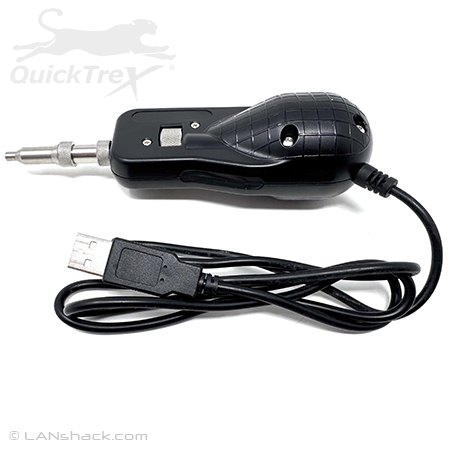
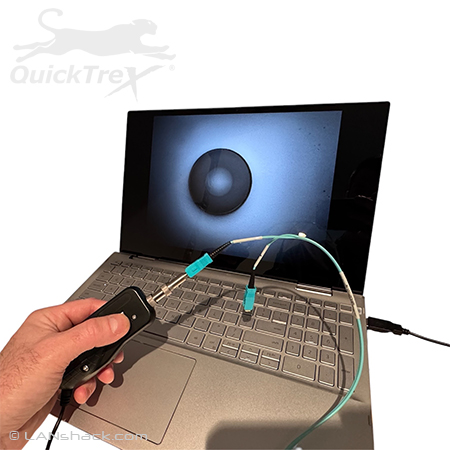
A dependable and high quality fiber optic connector endface video inspection microscope is a vital part of any fiber optic professional's, it technician, or low voltage electricians tool kit. Inspecting backbone fiber runs or patch cord connector endfaces before attaching them to equipment or patch panels saves time and effort, and ensures a clean, quality connection. A contaminated fiber optic endface will impede the performance of your network or even cause it to fail. This QuickTreX® 600X + Portable Fiber Optic Video Inspection Microscope includes a fixed USB cable for use with your laptop, PC, or other external screen. It allows for easy Inspection of your fiber optic connectors. This microscope works with both multimode and singlemode fiber optic connectors and is great for protection your eyes from accidental laser signal exposure.
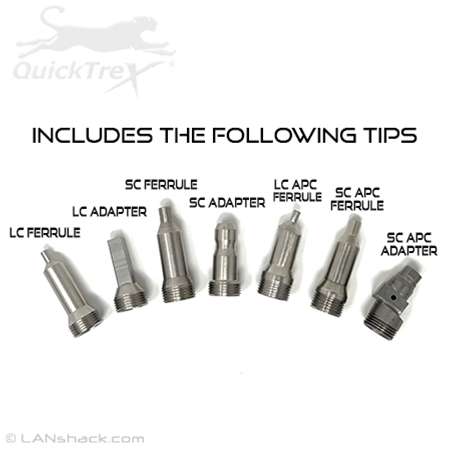
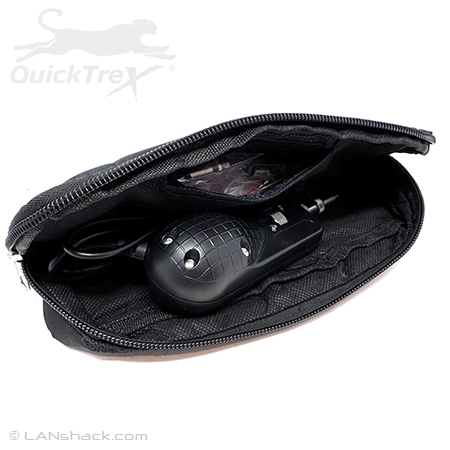
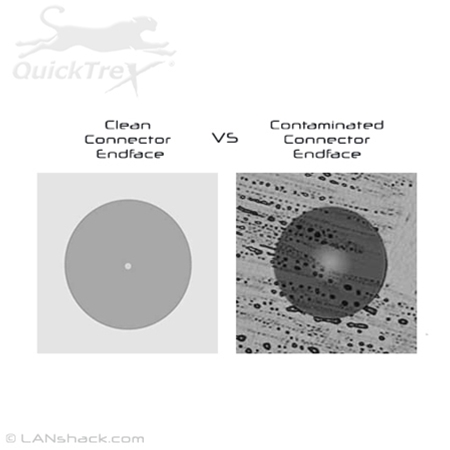
This video inspection microscope utilizes a LED light which is illuminates the fiber optic connector endface and shows if your connector is clean or if it has contamination and needs to be cleaned. It also includes a convenient storage case with handle and belt loop. Also included are seven tips for 1.5mm and 2.5mm ferrules and adapters. With these tips you can inspect all common standard fiber optic connectors including: LC, SC, ST, and FC connectors and adapters. We now include tips for inspecting LC APC ferrules and SC APC ferrules and adapters. This microscope does not need a battery and is powered by whatever device you are plugging into.
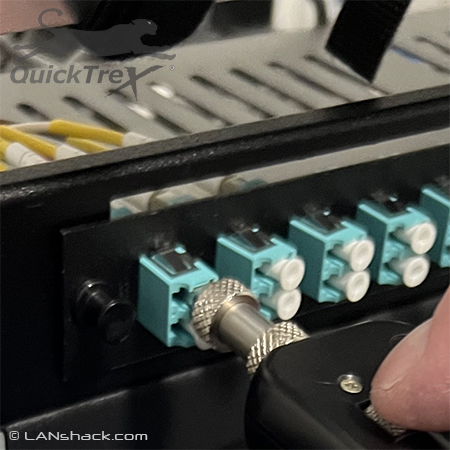
How to Use: To use this microscope you simply connect the USB cable to your laptop, PC, or similar device and then attach the correct tip to the top of the microscope probe and insert the connector ferrule into the tip or insert the probe tip into the adapter port you are trying to inspect. Then spin the focus wheel on the probe until the fiber optic endface comes into focus. To center connector endface on screen, slowly rotate tip until it is centered. It's that easy!
NOTE: You will need to download a software driver to use this microscope with your laptop, tablet, or PC. Please see the specifications tab to download the driver.
Here's a great article on why it is important to keep your fiber optic connectors clean.



Quick and thorough order completion - had exactly what we needed - right price and right on time!!!
First class product and service
prompt service, quick shipping, all parts arrived in good condition
Very reliable supplier of products. #1 in my book!
Awesome Service